Cloud POS
The POS, the kitchen and every online order. One system.
A cloud POS on the tablet you own. It keeps selling when the internet drops.
No hardware you have to buy to start.
100+ cafes and restaurants across 3 countries run on OrderCaptain







Inside the product
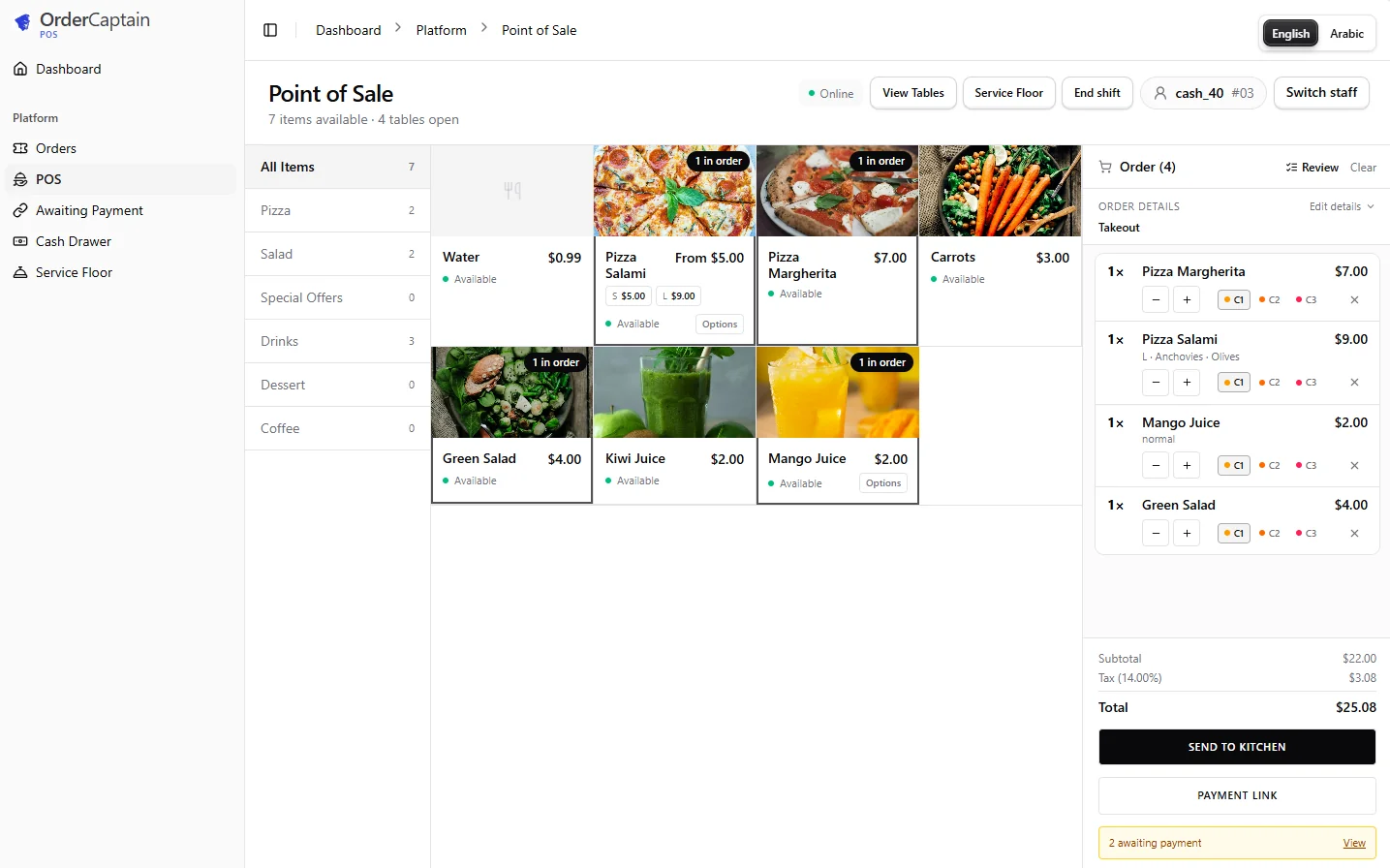
The POS your cashier actually uses.
Tap the dishes, check the order, and send it to the kitchen in one tap.
Why cloud
An old POS works alone. This one works with the rest of your restaurant.
A traditional POS records sales and stops there. Cloud POS ties the dining room to online orders to stock to loyalty, so you see the whole restaurant in one place, from anywhere.
Offline
you keep selling when the connection drops
Any tablet
runs on the device you already own
All branches
in a single dashboard
Kitchen display
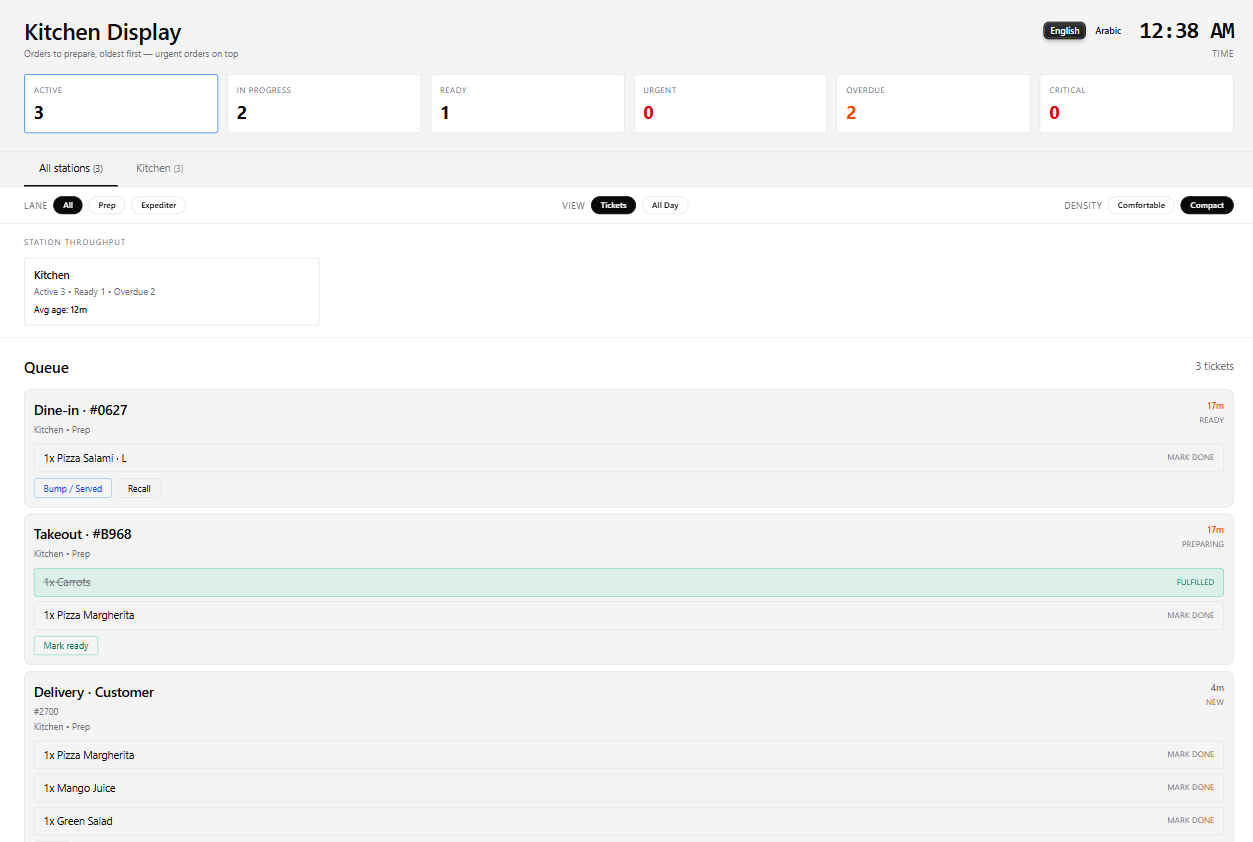
Every order reaches the kitchen in one queue.
Dine-in, takeout and delivery tickets land on the same screen, oldest first, with a timer on each and late orders flagged before the guest has to ask.
What's inside
A cloud POS built for a room that's actually busy.
Fast when it's full, simple to train on, and it keeps going when things go wrong.
Works offline
Orders and printing continue without a connection, then sync themselves later.
Every channel, one screen
Dine-in, takeaway and online delivery land on the same screen. Nothing re-typed.
Kitchen routing
Every order goes straight to the right kitchen display or printer, in the language that station runs in.
Table-side ordering
Waiters take the order on a tablet at the table and send it straight to the kitchen.
Unlimited terminals
Cashier terminals, waiter tablets and kitchen stations stay in sync. Add as many as the branch needs.
Food costing and inventory
Food cost per dish and stock per branch, including transfers from a central kitchen.
Role-based permissions
Cashier, captain, manager: each role does only what it should, and every discount or refund is logged to a name.
Real-time analytics
Sales and menu performance for each branch as it happens, from your phone.
Digital QR menu included
The digital QR menu is part of the system, with the same dishes and prices the POS charges.
Menu performance
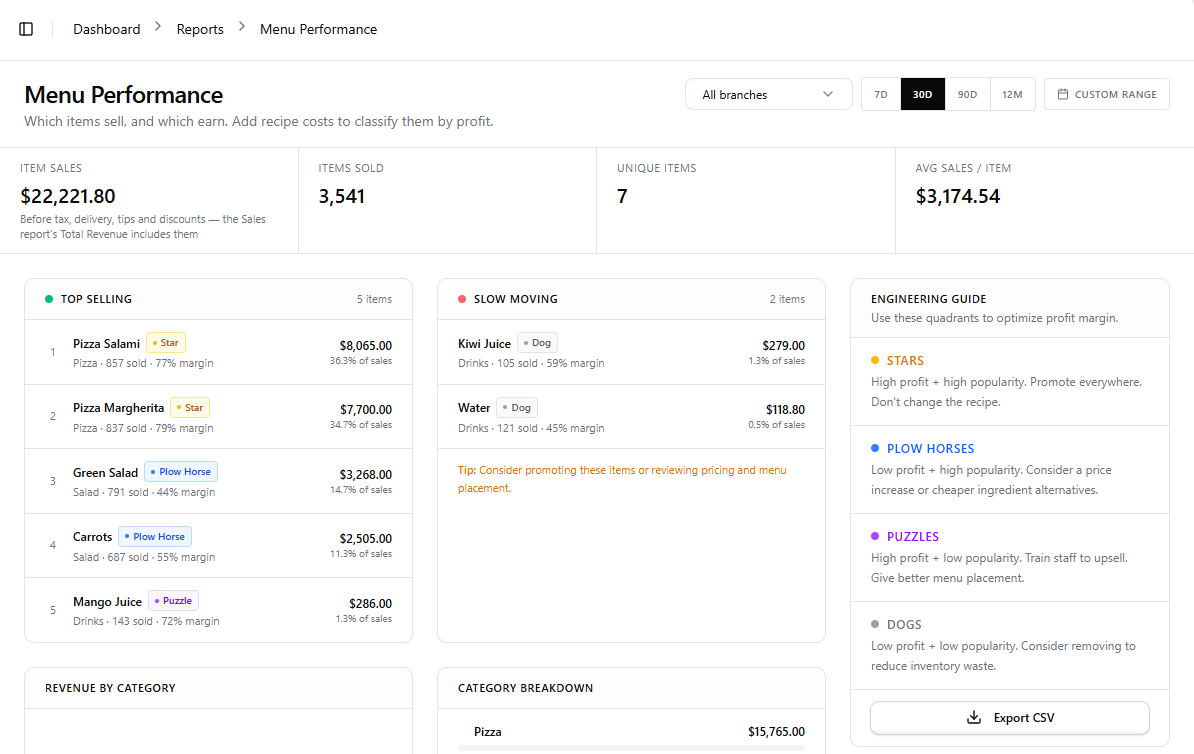
Know which dishes earn, not just which sell.
Add recipe costs and every dish is sorted by popularity and margin, with a guide to what to do about each: promote the Stars, reprice the Plow Horses, push the Puzzles, drop the Dogs.
The loyalty tax
Loyalty should not be a second vendor.
On most POS platforms, loyalty is an upgrade: a higher plan, or an app from somebody else with a separate subscription, a separate login and an integration someone has to keep alive. When it is a second app, the guest is recorded in two systems and you are left asking which number is the real one. Loyalty here is native and comes with online ordering, on the same guest record as the POS.
Zero
extra loyalty subscriptions
One
guest record across every channel
None
vendor integrations to maintain
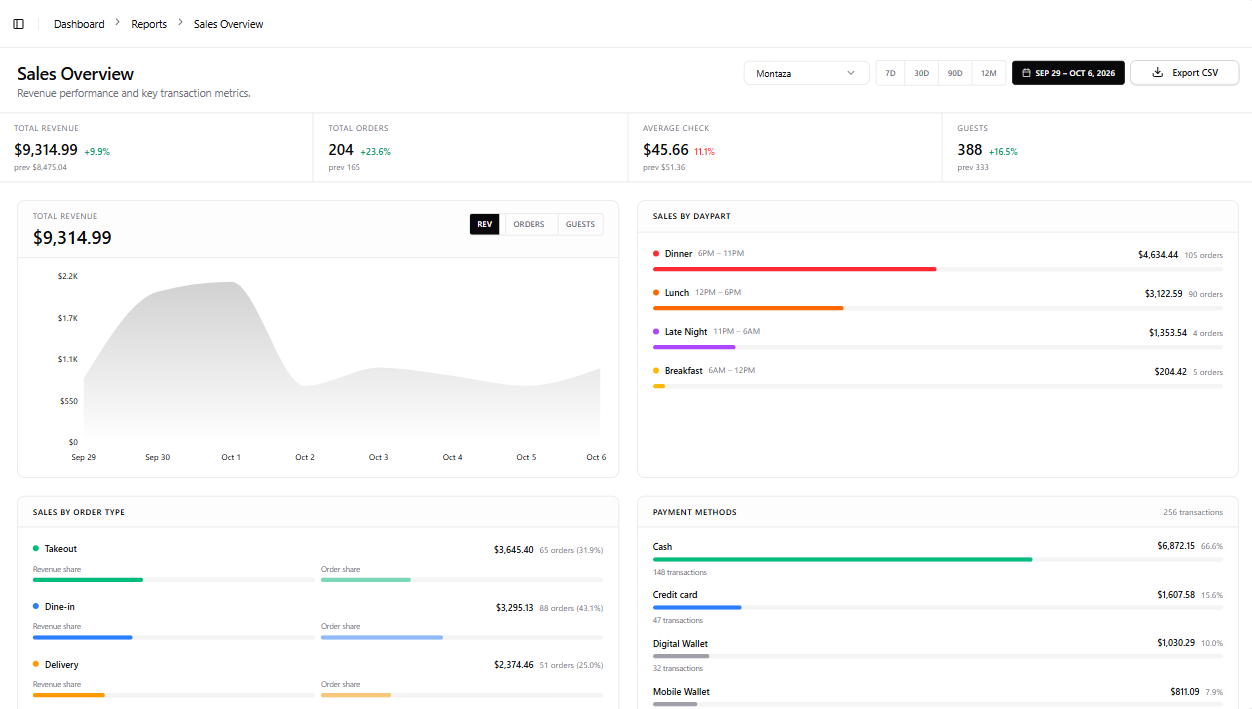
Sales
Every channel, in one sales report.
Dine-in, takeout and delivery side by side, with revenue by time of day and by payment method, for one branch or all of them.
Pricing
You pay for what you actually use.
Most systems charge a restaurant with ten tables the same as one with fifty. The subscription scales to the size of the operation instead.
Per branch
Licensed branch by branch, and every additional branch costs less than the first.
Tables
The number of dine-in tables, not one flat figure for every restaurant.
Order volume
Orders processed each month. It grows when you grow.
Packages
The full stack. Start with what you need.
OrderCaptain runs the menu, online ordering, loyalty and the POS as one system, but you do not have to take it all at once. Start with the package that fits today and add the rest later, on the same system.
-
Digital QR menu
- Ordering + loyalty: not included
- Digital QR menu: included
- Cloud POS: not included
A live menu guests open with a QR code. You edit dishes and prices yourself.
From about USD 7 a month
USD 11 a month in most of the GCC, Europe and the Americas
-
Menu, ordering and loyalty
- Ordering + loyalty: included
- Digital QR menu: included
- Cloud POS: not included
Direct orders and returning guests, next to the POS you have. Loyalty comes with ordering, because the order is what identifies the guest.
From about USD 9 a month
USD 16 a month in most of the GCC, Europe and the Americas
-
Cloud POS and menu
- Ordering + loyalty: not included
- Digital QR menu: included
- Cloud POS: included
Run the counter and the kitchen, with the menu on the same system.
From about USD 12 a month
USD 19 a month in most of the GCC, Europe and the Americas
-
Full stack
The whole system
- Ordering + loyalty: included
- Digital QR menu: included
- Cloud POS: included
Menu, ordering, loyalty and POS on one guest record. Nothing is typed twice.
From about USD 19 a month
USD 33 a month in most of the GCC, Europe and the Americas
Setup is free: we enter your menu, staff accounts, tables, kitchen stations and branches for you (custom delivery zones are quoted separately). Starting prices in Egypt and most African countries, billed yearly (USD 80, 110, 140 and 230 a year). Paying yearly works out two months free compared with paying quarterly. The final price depends on your country, number of branches, tables and order volume.
Switching over
We move you over without closing for a day.
We enter your data, free
Send it in any form. We enter your menu, staff accounts, tables, kitchen stations and branches, and confirm every price with you first.
We run both systems in parallel
For a few days the old and new systems run side by side, so your team learns without pressure.
We switch off the old one and stay close
We watch the first week with you and tune whatever needs tuning.
Book a demo
See the POS running before you decide.
We'll show you the system running in a short call, and tell you exactly what you need to start.
Email
[email protected]
Call us
Egypt: +20 100 688 4706
USA: +1 307 207 7702
WhatsApp
Message us on WhatsApp
Questions
What owners ask us first.
What happens if the internet goes down?
You keep selling. The POS keeps taking orders and printing tickets offline, then syncs everything to your dashboard as soon as the connection returns.
Do I need to buy special hardware?
No. Cloud POS runs in the browser on the Android tablet, iPad or laptop you already have. If you want a cash drawer or a kitchen printer, we'll tell you exactly which ones work before you buy anything.
Can it handle more than one branch?
Yes. Each branch has its own POS and its own stock, transfers from a central kitchen are tracked, and you see every branch together in one dashboard. Each additional branch is priced lower than the first.
What does Cloud POS cost?
Cloud POS comes with the digital QR menu, from about USD 12 a month (USD 140 a year) in Egypt and most African countries, and about USD 19 a month (USD 230 a year) in most of the GCC, Europe and the Americas. The whole system, with online ordering and loyalty added, starts from about USD 19 and USD 33 a month (USD 230 and USD 390 a year) respectively. Most restaurants pay yearly, which works out two months free compared with paying quarterly. These are starting prices, and each additional branch costs less than the first. The final price depends on your country, number of branches, tables and order volume, and we confirm it on the free demo call.
Does it replace my current POS?
It can. Most restaurants move over branch by branch. We enter your menu and data for free, run both systems in parallel for a few days, then switch off the old system when your team is comfortable.
Is it available in Arabic?
Yes, fully, including right-to-left screens for your cashiers and Arabic receipts for your guests.
A POS that doesn't stop when the Wi-Fi does.
Book a free demo and see Cloud POS running live.